

businesses
March 30, 2015
Now You Can Take Your Fiverr Business Anywhere

# freelancer-tips
Update – We’ve updated Fiverr Anywhere with some new features!
Users no longer need to download the Google Chrome app. You can now send offers directly from within Fiverr.com
Here’s how the new flow works:
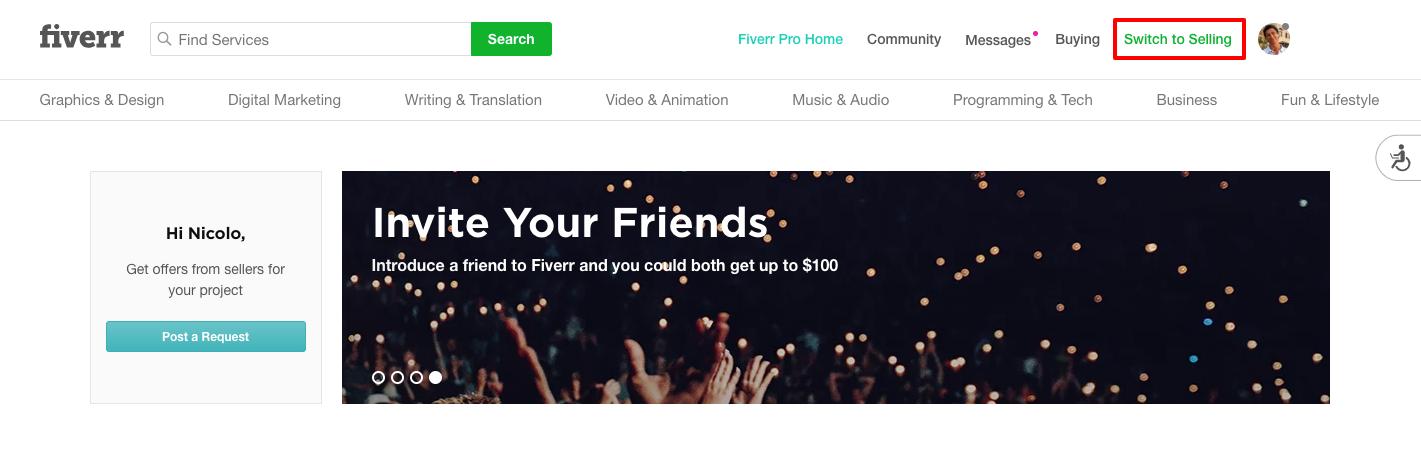
1. Once you are logged into your account click on Switch to Selling
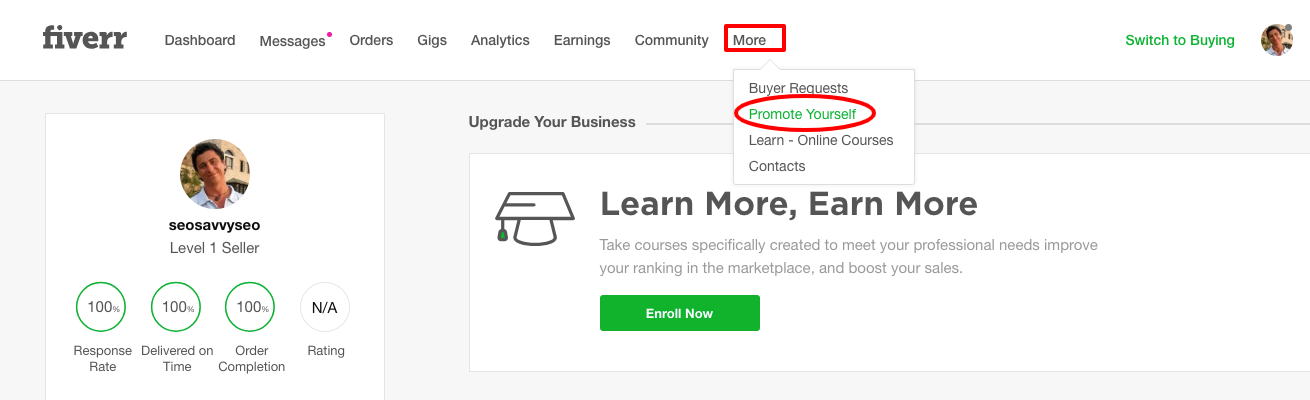
2. Click on More and select Promote Yourself
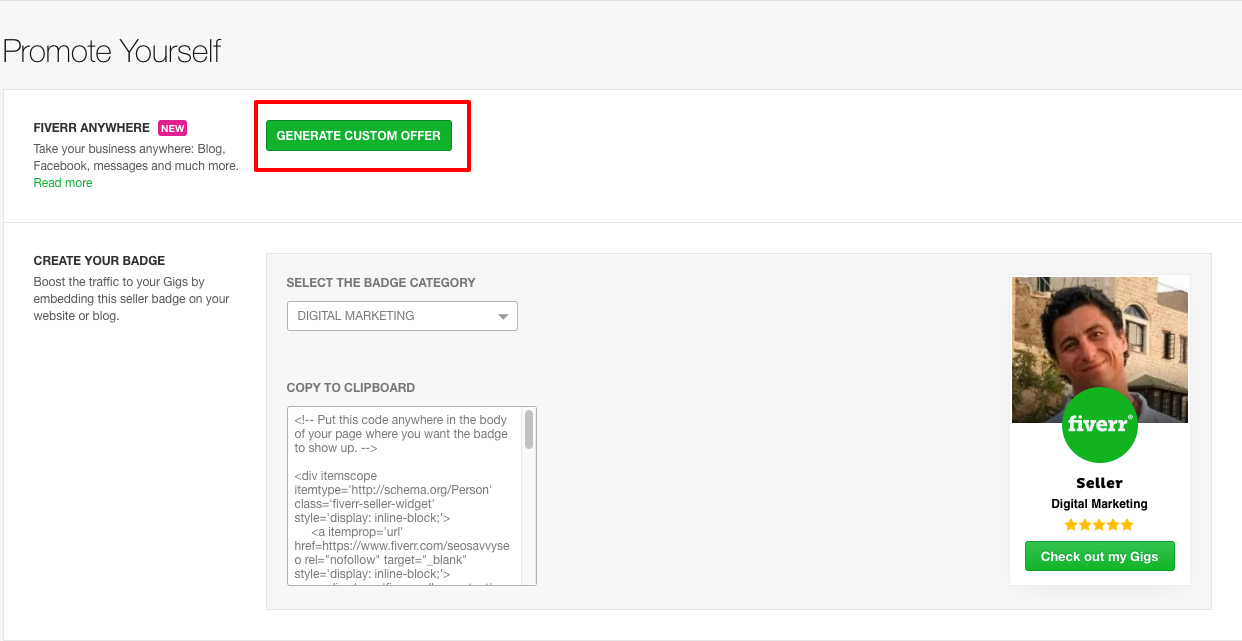
3. Then click Generate Custom Offer
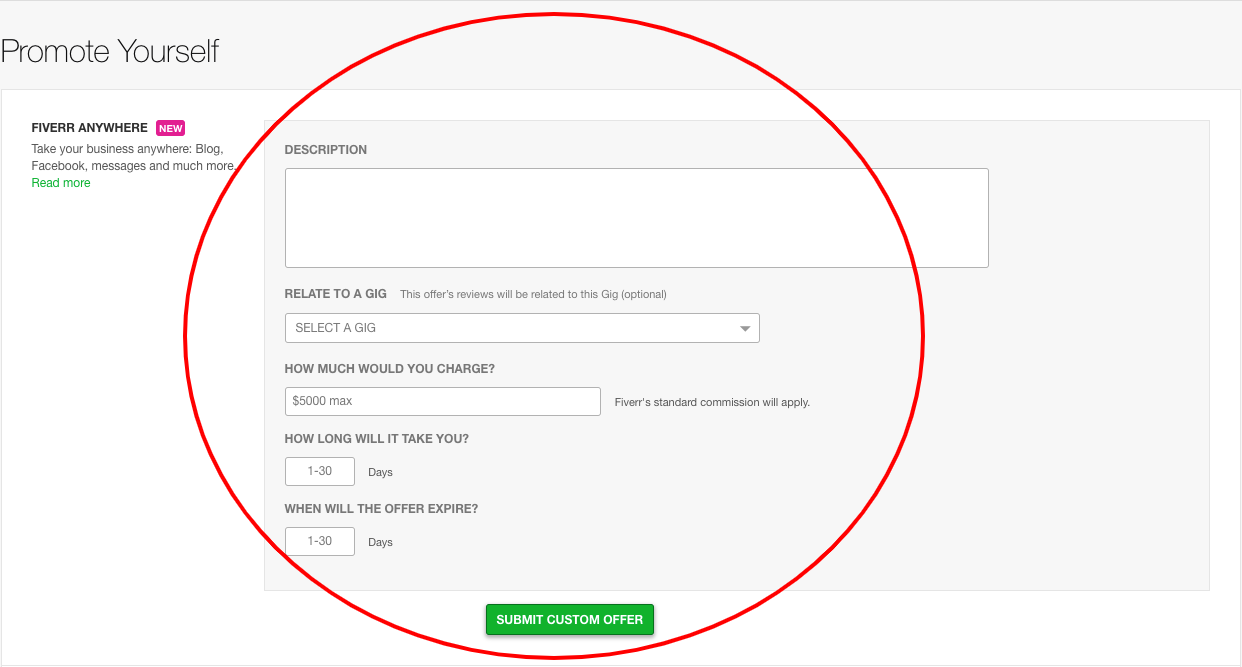
4. Fill in the details then hit Submit Custom Offer
5. After submitting the custom offer, you will see the option to share it with potential customers via an embed link. You no longer need a Chrome Plugin to do all of this.
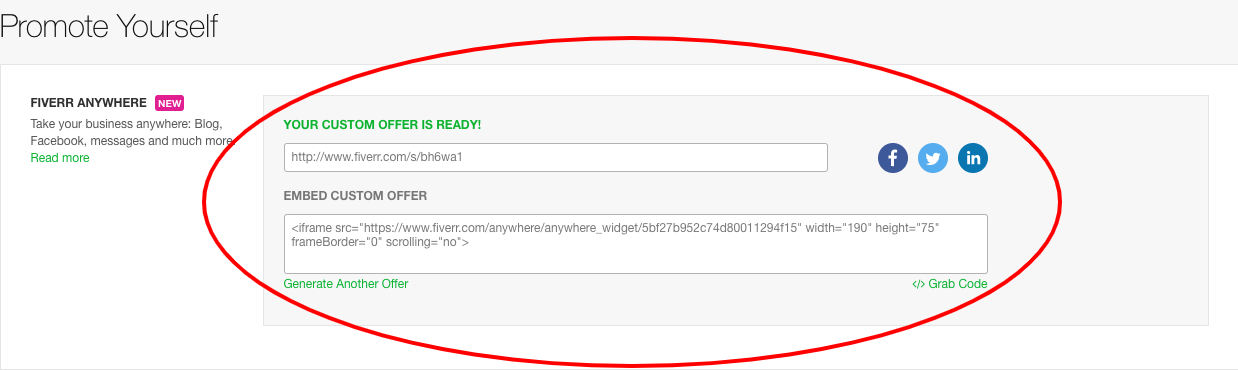
6. Finally, you can view previous offer by clicking View Your Last Offer

How does Fiverr Anywhere benefit sellers?
- It allows sellers to offer much larger services at market costs with Custom Offer. This is a great way to make more money doing what you love.
- Payment can be managed using Fiverr’s secure payment processing, just like existing transactions on Fiverr.com. This way, you can be reassured that you will get paid for your hard work.
- Fiverr Anywhere also helps expand seller services by letting sellers bring offline business online, making it easier to manage workflow and deliver services on time.
What is a Custom Offer?
Custom Offer is a feature exclusively available to all sellers on Fiverr. With this feature, you can respond to project requests from buyers with a custom offer. You set the size of the project, the fee you charge and the delivery time. Not only does it help you further expand your business, but take full control over what you are willing to offer and for what price.
How does it work?
When a buyer contacts you with a special order request, you can create a Custom Offer for it by clicking on the top right corner of the message box – “Send a Custom Offer.”
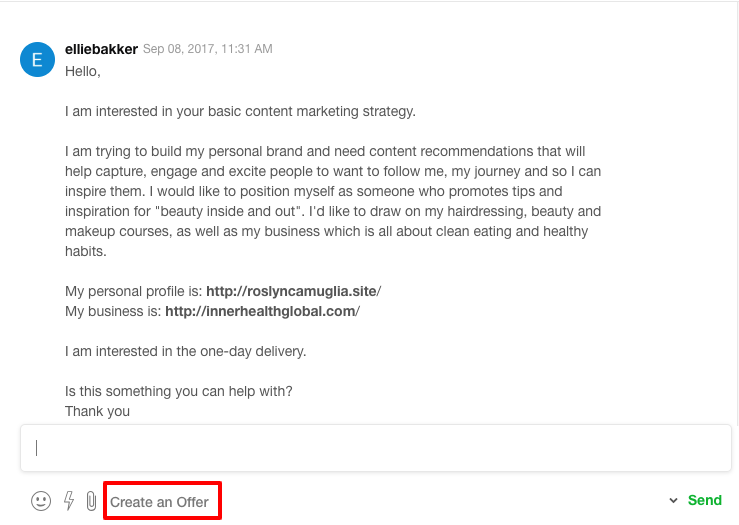
A form will pop up where you may set the terms. Then, submit. Your buyer may choose to accept or reject. If they reject, they’ll have the option to request modifications. If you agree, you can then choose to send over a new offer. Once your buyer accepts the Custom Offer, the order will begin.
Dive in